
Customer Support Page
Enable Location Services for LocalLoop™ Check-In
LocalLoop™ uses your phone’s location to confirm you’re inside the store when you tap to check in.
It works in your phone’s browser (Safari, Chrome, Samsung Internet, etc.) not an app... so you only need to allow location once.
If your check-in doesn’t load, follow the steps below for your device.
Click Your Device Below


📱 iPhone
Step 1: Turn on Location Services
Open Settings
Tap Privacy & Security
Tap Location Services
Turn Location Services ON
Step 2: Allow Location for Your Browser
Because check-in opens in a web browser:
For Safari:
Go to Phone Settings
Scroll down and tap Safari
Tap Location
Select While Using the App
For Chrome:
Go to Phone Settings
Tap Chrome
Tap Location
Select While Using the App
Step 3: Turn On Precise Location
Still inside the browser’s location settings:
Toggle Precise Location = ON
This makes sure the phone detects that you’re physically inside the store.
🤖 Android Phones
(Samsung, Google Pixel, Oppo, etc.)
Step 1: Turn on Location
1. Open Phone Settings
2. Tap Location (or Security & Location)
3. Turn Use Location ON
Or quicker:
Swipe down twice → press & hold the Location icon.
Step 2: Allow Location for Your Browser
Because check-in opens in a web browser:
For Samsung Internet:
Phone Settings
Apps
Samsung Internet
Permissions → Location
Choose Allow only while using the app
For Chrome:
Go to Phone Settings
Tap Apps
Tap Chrome
Tap Permissions
Tap Location
Choose Allow only while using the app
Step 3: Enable Precise Location
Still inside your phone’s Settings app:
On the same screen where you chose the browser’s Location permission:
Tap Use precise location
Turn it ON
This ensures the browser can confirm you’re physically inside the store when checking in.
On some older Android versions (below 12), you may not see a “Precise Location” toggle.
The permission steps remain the same just choose “Allow only while using the app.”
Connecting shoppers, stores and stories in every community.
A growth engine for independent retailers.
We are a family owned business helping your local family owned business.
Support Local. Shop Local. Grow Local.
© 2026 Najah Pty Ltd. All rights reserved. | ABN: 11 165 433 858 | Made in Australia 🇦🇺 | Privacy Policy | Terms of Service | Data Security | GDPR & Australian Privacy Principles compliant

Your Complete 1-Tap
Foot Traffic System
Early Adopters Save An Extra $3,100
The first 5 stores use the code: "PHASE2" at checkout will save an additional $3,100
Thats a full activation for only $2,400!
Limited to first 5 stores.
Just 1 New Customer Can Cover Your Entire Set-Up Fee*
*Source: The Nightly Business (2024) Using average customer spend of $3,276pa
Order Your Additional Counter Tap Check-In Signs

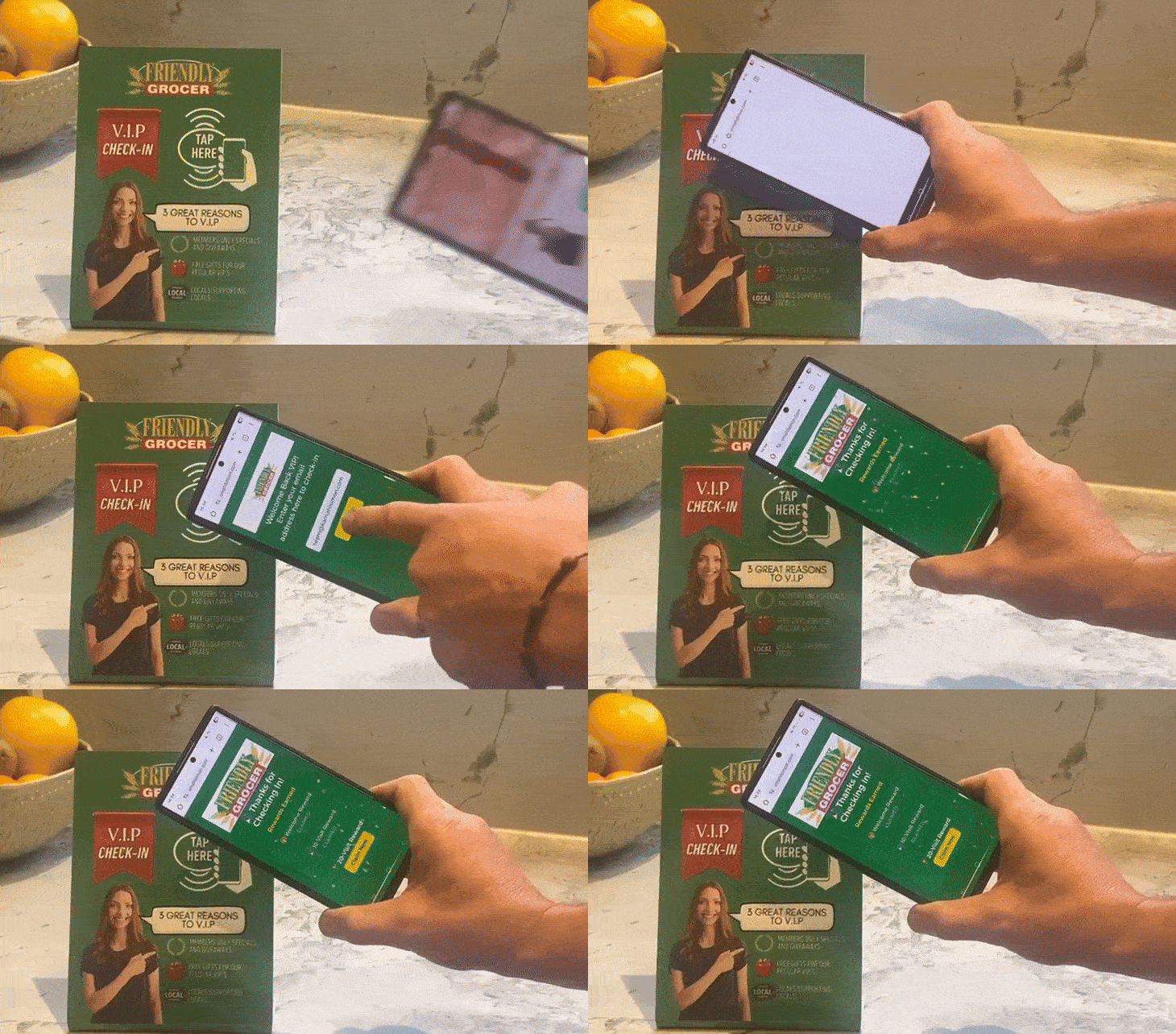
About Your Signs
Each sign is uniquely coded and geo-fenced to your stores exact location.
You can choose either the freestanding (10cm(w) x 13cm(h)) counter sign, or flat 12x12cm window-mount.
Your 1st sign is included with your activation, and additional/replacement signs are $88ea including GST and postage.
Ready To Order?